This guide explains how to set the timing of Reservoir's circulation pump when you have a dedicated recirculation loop. The goal of this calibration step is to tell your Reservoir how long it takes for hot water to fill your recirculation loop.
Notes
- Setting the correct recirculation time ensures your system operates efficiently. This prevents warm return water from excessively mixing with the hot water inside the tank and disturbing the natural thermocline (the distinct layers of cold water at the bottom and hot water at the top).
- You must only run this test when your hot water line has cooled. Wait at least 30 minutes from the last time you used hot water.
- To verify a dedicated recirculation line is present, look for an additional ½” copper pipe plumbed into the lowest port on the back of the unit (the side opposite the screen).Important Notes
Tools needed
- Stopwatch
Process
- Locate the recirculation line: Find the ½” copper pipe connected the Reservoir's bottom buffer port.
- Note: This is the only external pipe that attaches to the unit near the floor, on the opposite side than the screen.If this pipe is not present, this calibration is unnecessary.
- Start the Pump and Timer: Run the recirculation pump and immediately start your stopwatch.
- You can start the recirc pump from the app by pressing Warm my shower, or
- On the device, navigate to: Settings → advanced settings→ → > → > → > → > → Warm my shower
- Monitor the Pipe: Hold the recirc line as close to the Reservoir as possible. It should be cool to the touch.
- Stop the Timer: Stop the stopwatch the moment you feel the water in the pipe turn warm.
- Calculate Recirculation Time: Subtract 10 seconds or 15% of the counted time, whichever is less. 40 seconds is the minimum time allowed. This final result is your calibrated recirculation time.
- Set the Time on Your Device and Dedicated Recirculation: Set the calculated time (in seconds) on your device.
- On the device navigate to: settings → advanced settings→ → > → > → Recirculation timing
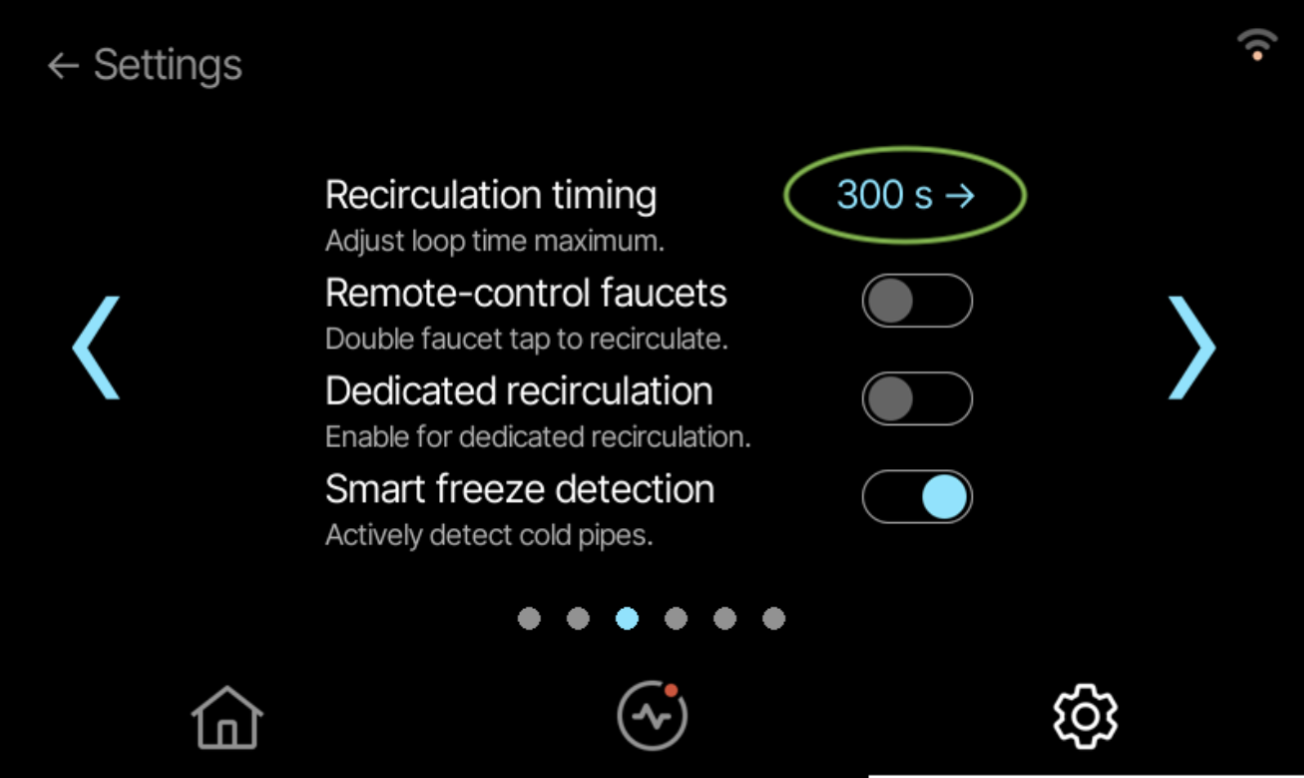
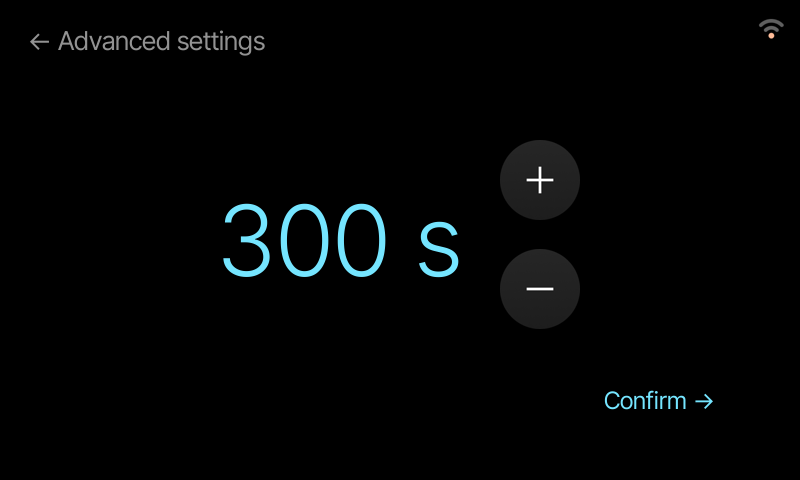
- Enter the time calculated in Step 5 and press Confirm →
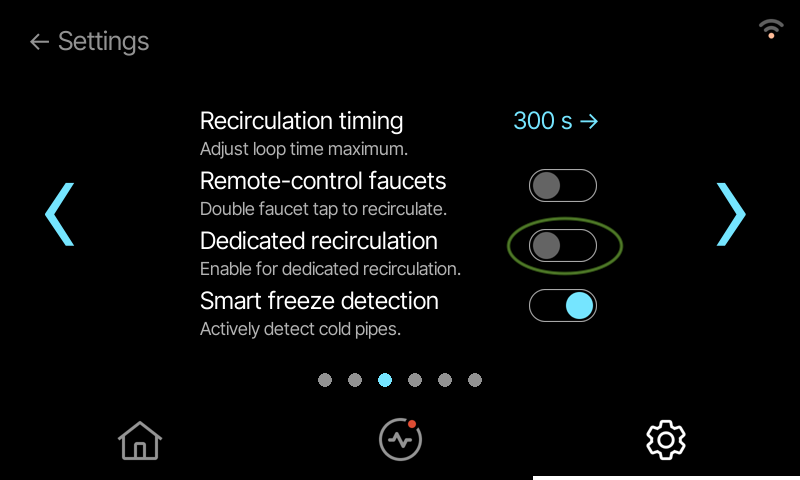
- Set your device to Dedicated recirculation: enable Dedicated recirculation toggle
- On the device navigate to: settings → advanced settings→ → > → > → Recirculation timing
- Finished: Your recirculation timing is now calibrated. This will be used for Smart Recirculation and Warm my shower.